If You Widget It: They Might Use It

Building Library Widgets for your Online Learning Platforms

Amanda Lemon, OCCC & Toni Hoberecht, OU-Tulsa

Presentation webpage

From the presenters’ setup, it looked like it would be fun, even though we’d be talking about HTML some. 🙂

Presenters are at two different institutions; two different learning platforms.

Widgets are small boxes of code that can be embedded in websites.

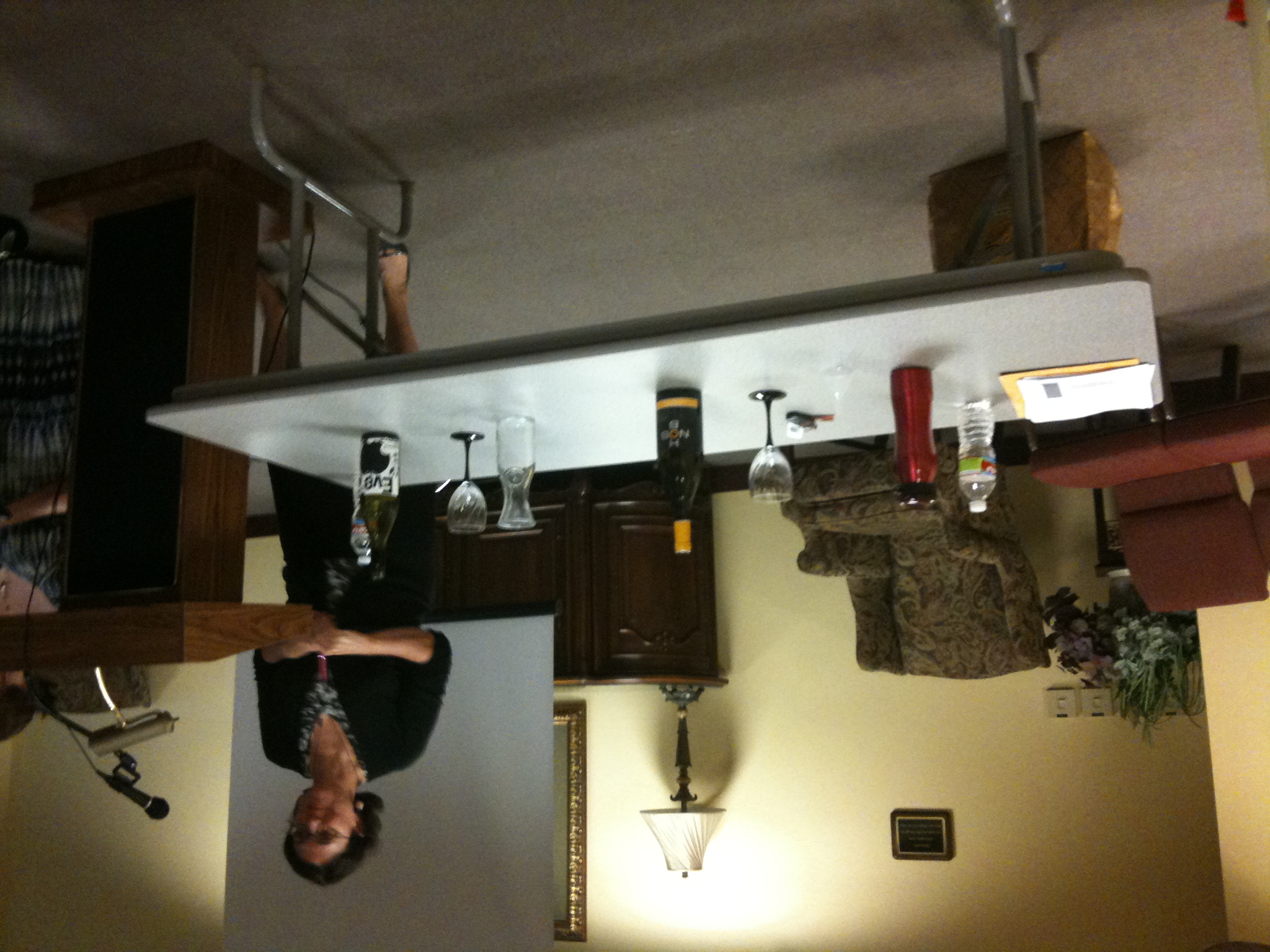
Explanation of a widget using a bottle of wine, using a Prezi presentation & live props.

  • Bottle of wine–>decanter–>wine glass.
  • Bottle of wine–>winery aerator place in glass–>instantly funnels the wine into the glass. (This is a widget).

Widget::Wine analogy

  • Bottle of wine (rich): this is the resources, the OPAC, the databases
  • Decanter: URL/hyperlinks
  • Glass of Wine: Your End User

The aerator acts as the widget. They get the information direct where they want it in the glass. No separate container needed.

Discussion of More Than Two Hours of Daily TV, Video Game Time Can Cause Attention Problems and Hooked on Gadgets and Paying a Mental Price.

  • The end users aren’t going to just go to a different site.

The default Resources page in the OCCC Angel interface has built-in boxes for Wikipedia and Google. Where’s the library??? It wasn’t there.

They got a presence there first by having a widget built for the library catalog. Ongoing issues getting a database widget placed there.

The widget simplifies the search for the end user.

Creating the Widget

The widget parts:

  • title
  • description of what it does
  • a graphic
  • the search box
  • button;
  • link to the site

Don’t use Word to write the code. It adds “helpful” code. Use notepad, naming the file, “name.html” — using .html allows you to open the file in a web browser.

We’re making a little segmented area to put our widget onto an already existing information.

Div tag = container

At this point the presenters walked the audience through building a widget. Their presentation discussion thread works through some of this process. A couple of notes

  1. Finding the unique searching URL can be complex.
  2. LibraryWebchic.net/mashups can help out.
  3. Presenters suggested to look at others pages & source code to start get possible ideas.

The steps in summary:

  1. Make Widget in Notepad.
  2. Save as HTML file.
  3. Email file to LMS admin.
  4. Admin does the rest.

I really enjoyed this session. Even though I’ve been doing HTML coding for years, off and on, part of being self-taught means you do miss out on certain things. It was good to fill in some of the gaps in my knowledge. Also, watching someone else teach this was quite helpful for seeing other methods to teach the same times of hardcore techie skills to people who aren’t hardcore techies. I definitely learned some strategies. Analogies (like the wine bottle) are the key. The biggest thing that techies need to remember is to watch the terminology and if you’re told that people don’t understand, step back and think of an analogy of the techie skill you’re teaching that your audience can relate to. For non-techies, the biggest thing to remember is to ask for clarification if you’re confused.

A New Look at COIL: Customizing Online Information Literacy

Went to this session; honestly, I don’t like being critical of session, but I’d hoped it had been a lot more than it turned out to be. Presenter focused on using a hardcoded tutorial and talked a lot about code. More fruitful discussion was when she started talking about direct contact with students. Point mentioned that younger faculty thinks students can use everything online (Not true) and don’t send students to the library as much. She hands out her business card so students can contact her directly more and more.

Notes from this session are below.

Presenter: Elizabeth (Beth) Jones (OCU)

Modules:

Modules use quizzes to show what students are learning and retaining the information. Grade doesn’t matter. Stickiness is the point. The quiz is designed to hold the answers if students need to click on the information areas of the tutorials to review the answers.

Uses:

  • research instruction sessions
  • graded assignments
  • distance learning

Design considerations

  • first set should be generic or for lower level English courses
  • What types of info will be standard across the disciplines?
  • What areas will be different?
  • Keep it short.

Tools

  • Using Desktop software: Adobe Dreamweaver; FTP Commander; HTML; Javascript; Visual Basic
  • Another suggested tool to use it working with a CMS?
  • Access Database reading — Visual Basic.

Customization

  • What is different about this area/discipline?
  • Change all examples or excerpts to discipline specific ones.
  • Change all citations to the approved style for the discipline.

Coding

  • Uses spry method within Dreamweaver

Questions

Pre-test/post-test used to compare progress? Hasn’t been implemented yet?

Right now correct/incorrect displays; eventually go back and put in more information for why choice was wrong.

Jquery mentioned as an alternative to straight Javascript.

unCOILED workshop Keynote panel

The keynote panel is comprised of the presenters of the different sessions today. Interesting idea. A way for everyone to hear at a least a bit from each of the sessions:

  • Elizabeth Jones, OCU
  • David Oberhelman, Hui-Fen Chang, and Helen Clements, OSU
  • Dennis Miles, SOSU
  • Amanda Lemon, OCCC and Toni Hoberecht, OU-Tulsa
  • Kathryn Plunkett, SOSU
  • Casey Ashe, TCC

Describe the project you will be talking about today, and the biggest roadblock you overcame on the way to implementing it.

  • IM chat: not just supply the answer and but teach those at the other end how to find the answer; had to learn from others
  • Widgets: Will be able to build a widget after this session; had to learn to code
  • LibGuides — faculty embedding these in their courses online. Just getting started. What it is and what it can do to help reach out to distance learners.
  • For-credit IL class online: Difficulties teaching in an online environment; switching from F2F to online environment; challenges were working with administration getting the course set up.
  • new look at COIL: customizing IL for different subject areas and designing it to fit the different professors’ need.
  • Second Life: facilitate teaching within it; challenges: takes a year to get used  to the environment (not like WoW)

Is it easier or harder to provide library instruction for DL than F2F students? Why?

  • Toni: Distance ed lacks the human component. Hard to compensate for that in teaching. We’re going to have to make it work but it’s hard. (Comment: How can this challenge be overcome? Live video cameras? Live voice? Blogging? What types of interaction? Has research been done on what the students think?)
  • Helen: Agrees; students said being f2f did make a difference, even if it’s just once.
  • Casey: engaging them in the different parts of the process is difficult.
  • Kathryn: it’s hard now bc it’s new, but it’s the future. It’s forcing us to be really relook at our teaching. Have to look at different ways of learning to reach different learners. Creativity & flexibility.
  • David: competition from online universities; humans interact better f2f. Find ways to bridge that gap online. How to bring in the in-person interaction experience?

How can libraries most effectively connect with Distance Learners?

  • Casey: much more important now to connect with the faculty in this environment; collaboration with the faculty much more significant
  • Toni: Proximity is everything. Try to insert your access to students when they need you. Predict when the assignment begins; cooperation with faculty.
  • Kathryn: chat is perfect example of this; students were there first and then we adopted it. They are already comfortable with this platform.
  • Beth: marketing is important; make sure students know how to contact us. Make the library’s name prominent and easy to find.
  • Amanda: online option to ask questions is important. Majority of her libraries’ reference qs come online. Students are so appreciative of the online interface to ask questions because they don’t like the phone.
  • Text message reference experimentation: OCCC uses (not marketed much); it’s what’s next.
  • Google Voice # for text chat and then shows up in the chat interface. Google Voice can be used for receiving texts in a chat <– will have to look into this.
  • AIM hack through Meebo text chat is a free way. (but doesn’t work well)

What Web 2.0 technology do you think is the most overrated for distance library services or libraries in general, and why?

  • Twitter (many on the panel don’t like it; don’t get it; Amanda sees both sides of Twitter’s uses)
  • Facebook
  • Library tutorial videos; Amanda spends a lot of time on them, but feels students don’t use them. Thinks they get used because professor sends link out. How to gauge their effectiveness? BYU video mentioned as a great video; many others are boring. Too long. 4 minutes; but that’s way too long, still. ASU library Minute videos are good. The length is the key. People show those in their instruction sessions. Atomic learning ones are really quick too. XKCD on library websites. In Plain English videos by Common Craft

What do you think Distance learning library instruction will look like in 5 years (at your institution and beyond?)

  • More of it for sure
  • Half f2f/half online in 5 years
  • 5-10 years will be doing much more on cell phones & touch screens (5 years?? sooner than that!!)
  • working from home.
  • Digital divide discussion. Rural vs. urban? How are you going to provide distance learning to those in the rural areas who don’t have decent Internet access at their homes, remotely? Even the public libraries where these students could go are struggling to keep up with technology (fund it; pay for internet access; have enough computers to meet all needs).

Open Discussion

  • Bring the legislators into the more rural areas and show them the reality of the broadband and cell phone situations. That’s a really really good point.
  • Instructional content packaged for textbooks. Rather than giving them a website to go to, give them packaged content in a DVD. (Comment: schools, blocking social networking sites (wikis, youtube, etc.), this isn’t a good idea; issue here is working with the schools to show them how these tools are good and why they need to be accessible)
  • Discussion on info lit teaching; missed some of the discussion.
  • Web camera usage: open class period to talk over the web chat. It’s coming. The exchange is so much richer. It’s available now. It’s just getting the camera to use. Someone has used Skype and Dim Dim with her students. “Ignorance is nice.” “How did you do that? I don’t know. I hit the button and it works.”

Twitter Daily Digest for 2010-07-30

  • @julian2 oh so jealous! have to drive 30 mins one way or 45 mins the other to go to one out here. enjoy the convenience! in reply to julian2 #
  • now off to pack to leave tomorrow for the #uncoiled workshop that's on Friday & then get a paper edited; sleep sometime, soon, plz?? #
  • Twitter Daily Digest for 2010-07-29 http://ff.im/-ot3PD #
  • @bcshipps that happens to us too; we get more phone calls, are you the public library in town? or people just walk right in #libday5 in reply to bcshipps #
  • @daskey co-worker had sent that article out on our sys listserv; seeing that news made my day; it's about time someone took them on! in reply to daskey #
  • RT @mbreeding: SkyRiver files major anti-trust lawsuit against OCLC. http://bit.ly/cANjSe #skyoclc #
  • @bcshipps ah ok; we're a reg sys office 3-4 miles away from local publib; we have fun explainng that 2 walkins (support 14 counties of libs) in reply to bcshipps #
  • Getting my hair repermed. Looking forward to the end result & the ease of care again! #
  • Oh the things women do in the name of beauty ! http://twitpic.com/29rkm2 #
  • @erindowney headmasters in Lawrence. I had a consult at bliss but as I was making the appt I overheard the girl ask on time length for,.. in reply to erindowney #
  • @erindowney a color & how long a perm took. I realized then she was a newbie & called next day, canceling appt. Cindi rec'd her stylist in reply to erindowney #
  • Perm went well. Will post pic later. Now stopped for gas on way to Stillwater for the #uncoiled workshop tomorrow. Looking forward to it! #
  • @erindowney I know; description wasn't clear. Stylist went up w me to the desk to make the appt. She was the one saying those things! in reply to erindowney #
  • @erindowney yeah; thankful i realized that was the case before she touched my hair. Yikes is the correct response. in reply to erindowney #
  • made it 2 stillwater successfully; had good dinner w old friends I hadn't seen in several yrs looking forward to #uncoiled workshop tomorrow #

Powered by Twitter Tools

Twitter Daily Digest for 2010-07-29

Powered by Twitter Tools